
IO Camera Capture Button Not Working In Apteryx? Check The Still Pin.
· Dental TI
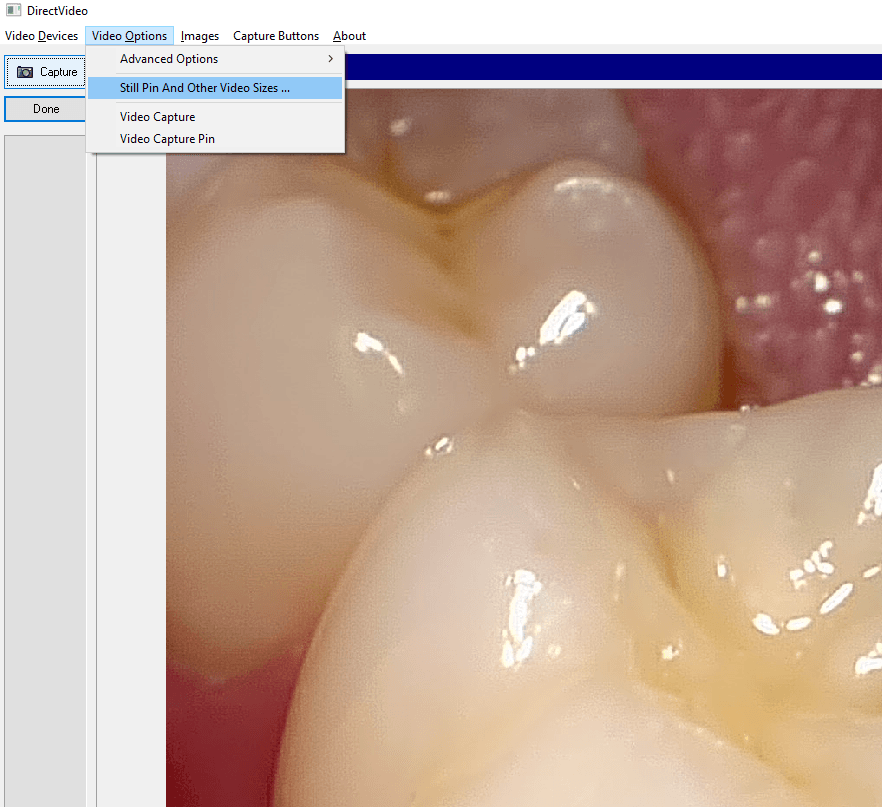
Another common Apteryx support call we receive from offices stems from a situation where the capture button on their camera doesn’t seem to work. They have a live video stream, but nothing captures when they press the button. For most intraoral cameras, the solution is very simple: make sure the camera is set to capture from the still pin.
Here’s how:
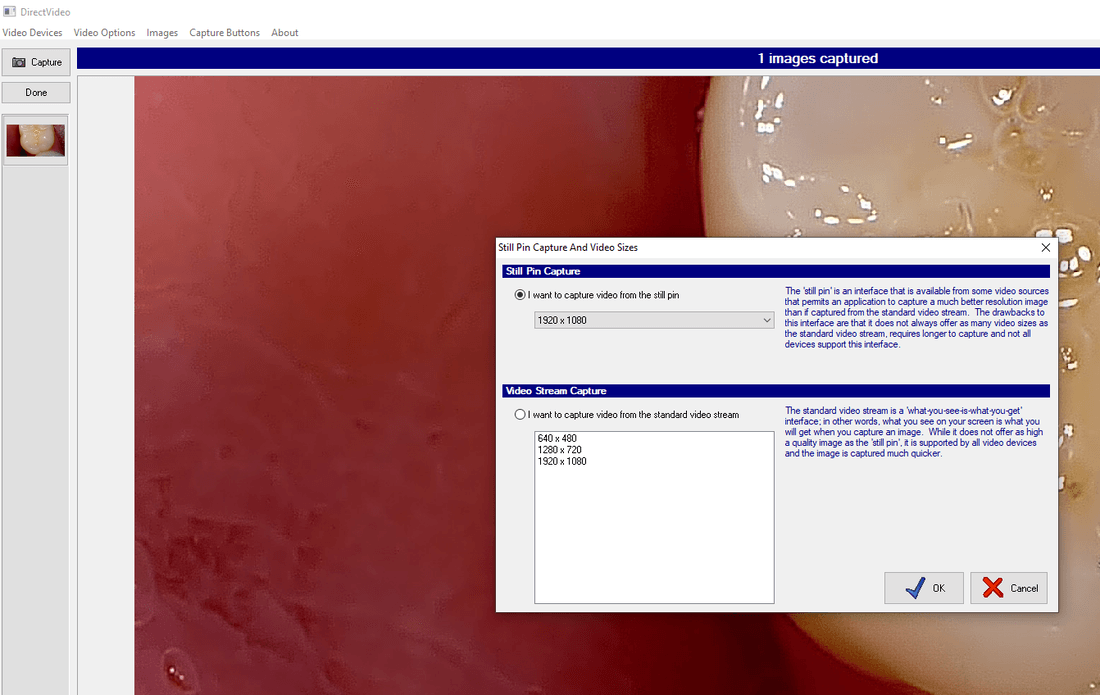
Once you have ensured the Still Pin is selected, and you have the proper resolution set, simply hit “OK”, and you are ready to capture. If you are a client and are having difficulty, don’t hesitate to contact us for free support!