
Get World Class Images with J. Morita X800 CBCT: Settings & Positioning Guide
· Dental TI
Quick Navigation
- Optimal Panoramic Settings
- CBCT Acquisition Settings
- Patient Positioning Techniques
- Troubleshooting Common Issues
- Getting the Most from Your X800
- Your Imaging Support Partner
- Contact Information
- Conclusion
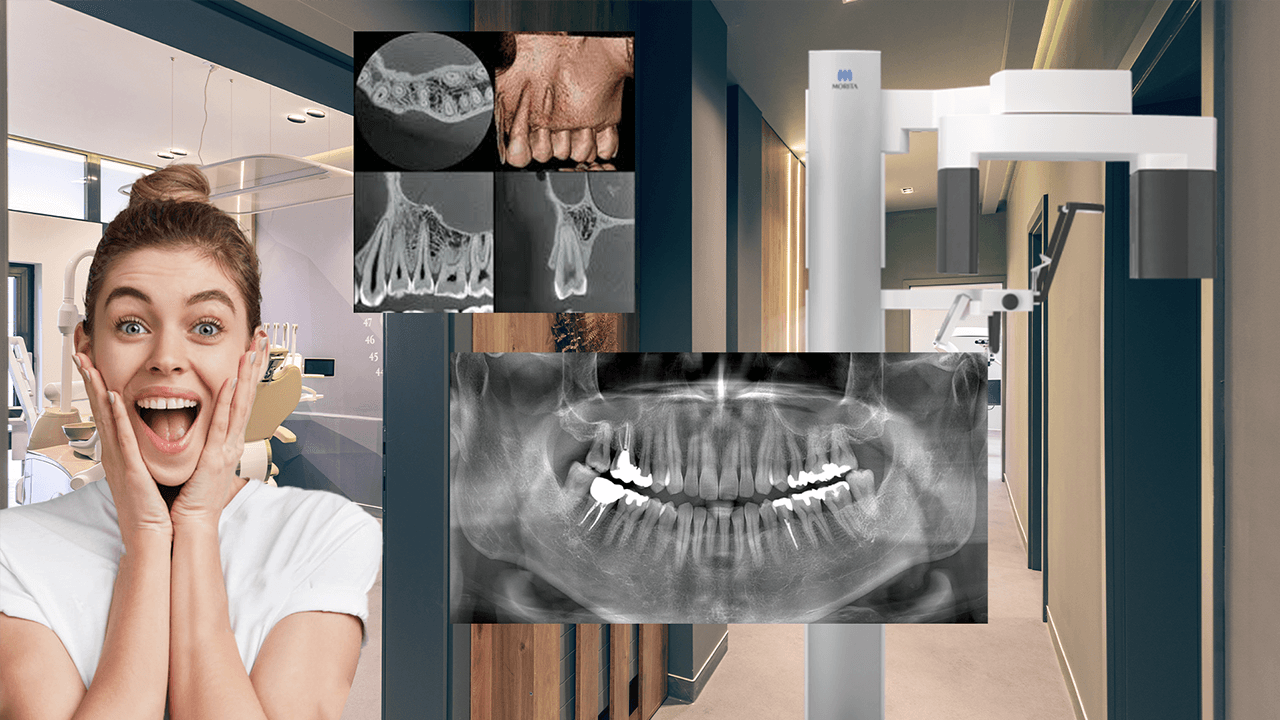
The J. Morita X800 stands as a leader in CBCT technology, delivering exceptional image quality through its award-winning design. Whether you’re performing panoramic radiography or 3D CBCT scans, achieving optimal results requires understanding both the machine settings and proper patient positioning techniques.
This guide will walk you through the essential tips and best practices to maximize your X800’s capabilities, ensuring world-class diagnostic images every time.
Optimal Panoramic Settings for the J. Morita X800
Essential Machine Configuration
When capturing panoramic images with the X800, your settings should be configured as follows:
Exposure Settings:
- Set exposure to “A” (Automatic) on the bottom left of the screen
- Configure the exposure level to 6 for optimal contrast in the resulting image
Positioning Settings:
- Set H position to 5 to ensure adequate shoulder clearance
- If the chin appears cut off and shoulder clearance isn’t an issue, reduce this to 0
- For larger patients requiring more space, increase this value accordingly
X800 Projection Mode Options
The X800 offers three distinct projection modes for panoramic imaging:
- SD (Standard) - The most commonly used projection mode
- SL (Shadowless) - Helps eliminate ghost images caused by metallic jewelry or prostheses that cannot be removed
- OT (Ortho) - Opens contacts between teeth in cases of crowding
Speed Settings for Different Patients
For highest-detail panoramic images:
- Select the HD speed setting as your standard choice
For patients with difficulty remaining still:
- Switch to HS speed to effectively halve the scan time from about 14s to about 7s
CBCT Acquisition Settings and Best Practices
Manual Exposure Configuration
For CBCT scans, regardless of the field of view (FOV) being used, follow these exposure guidelines:
- Set exposure to “M” (Manual)
- Select the highest kV value: 100
- Set the highest milliamp value: 8
Field of View Considerations
For FOVs smaller than 80x80:
- Scouting is recommended (detailed coverage available in separate training materials)
For larger FOVs:
- Set mode option to the crosshair symbol on top of an odontogram
- This tells the unit to use lasers for scan targeting
Advanced CBCT Settings
Rotation and Resolution:
- Change rotation from 180 to 360 degrees whenever possible
- Upgrade resolution setting from SD to HR (high-resolution)
- Note: These options may not be available on larger FOVs
Critical Patient Positioning Techniques
Head Stabilization for Both 2D and 3D Imaging
Proper head stability is crucial for optimal image quality. Many offices fail to achieve this due to concerns about patient comfort.
Temple Support Guidelines:
- Tighten temple supports until they literally flex
- This provides maximum stability without patient discomfort
- Proper stabilization is essential for both panoramic and CBCT scans
Laser Positioning for Panoramic Scans
The X800 provides three positioning laser beams:
- Canine Beam: Have the patient smile to visualize, then position at the distal edge of the patient’s canine
- Mid-sagittal Beam: Align down the midline of the patient’s face
- Frankfurt Plane (Horizontal Beam): Position below the infraorbitals and intersect the tragus of the ear
CBCT Laser Positioning Protocol
CBCT positioning follows similar principles with key differences:
Consistent Elements:
- Mid-sagittal beam: Down the midline of the face
- Canine beam: To the distal of the canine
Critical Difference:
- Horizontal beam defines the middle height of the scan
- For full-mouth FOV (100x80): Position through the occlusal plane
- This provides 40mm coverage above and 40mm below the beam
Patient Seating for CBCT Scans
Optimal Chair Positioning:
- Seat patients closer to the edge of a rolling chair
- This provides better stability and comfort
- Allows patients to lean back if needed for additional shoulder clearance
Troubleshooting Common Image Quality Issues
Addressing Chin Cut-off in Panoramic Images
- Check shoulder clearance first
- If adequate, reduce H position setting toward 0
- Monitor results and adjust accordingly
Managing Metallic Artifacts
- Utilize SL (Shadowless) projection mode
- Remove metallic jewelry when possible
- Consider patient positioning adjustments
Optimizing for Patient Movement
- Use HR speed setting for patients with stability issues
- Ensure proper temple support tightening
- Consider patient comfort and communication
Maximizing Your X800 Investment
The J. Morita X800 CBCT system represents a significant investment in your practice’s diagnostic capabilities. By combining proper machine settings with meticulous patient positioning, you can ensure:
- Enhanced patient comfort during procedures
- Consistent, world-class diagnostic images
- Improved treatment planning accuracy
- Maximum return on your technology investment
Your Partner in Dental Technology Excellence
Whether you already have CBCT technology or are looking to add this transformational capability to your practice, Dental Technology Integrators is your one-stop shop for dental imaging technology. We understand that acquiring advanced imaging equipment is just the beginning of your journey toward enhanced diagnostic capabilities.
Comprehensive Support Services
Our philosophy centers on providing complete support that goes far beyond equipment sales:
Expert Installation Services:
- Professional setup and calibration by certified technicians
- Optimal positioning and integration with your existing workflow
- Complete system testing and quality assurance
Comprehensive Training Programs:
- Hands-on training for your entire team
- Advanced technique workshops like the positioning methods covered in this guide
- Ongoing education to help you discover new capabilities
Dedicated Technical Support:
- Responsive troubleshooting and maintenance
- Remote diagnostic capabilities
- Preventive maintenance programs to ensure consistent performance
Practice Integration Consulting:
- Workflow optimization guidance
- ROI analysis and billing optimization
- Technology roadmap planning for future growth
Why Choose Dental Technology Integrators
Our commitment to your success extends beyond the initial installation. We believe that proper support, training, and ongoing guidance are essential for maximizing your investment in equipment like the J. Morita X800. Our experienced team understands the unique challenges of integrating advanced imaging technology into busy dental practices.
Ready to Transform Your Practice?
Whether you’re taking your first steps into 3D imaging or looking to optimize your existing CBCT capabilities, we’re here to help you achieve a new level of diagnostic capability and operational efficiency.
Contact us today to start your 3D journey:
- Phone: 1-800-672-5733
- Website: dentalti.com
Our team is ready to discuss your specific technology challenges and goals, helping you select the right equipment and support services for your practice’s unique needs.
Conclusion
The J. Morita X800 CBCT system delivers exceptional imaging capabilities when properly configured and operated. By following these detailed settings and positioning guidelines, you can achieve consistent, high-quality results that enhance your diagnostic confidence and treatment planning precision.
Remember that mastering these techniques takes practice, and having the right support team makes all the difference. Start with the recommended settings and make small adjustments based on your specific patient population and clinical needs. Investing in proper technique and professional support yields dividends in improved diagnostic accuracy, enhanced patient satisfaction, and practice growth.
Don’t navigate the world of advanced dental imaging alone. Let Dental Technology Integrators guide you through every step of your technology journey, from initial consultation through ongoing optimization of your investment.